tinyBasic is just a developer's game, the development of a minimalist Basic interpreter for Palm by using iziBasic.
Tiny BASIC started out as a way to get a BASIC running in the minimum amount of memory space (~2 KBytes), because RAM used to be very expensive and home computers would only have a few KB of RAM back in the 1970's.
My Tiny BASIC dialect, that I just called "tinyBasic", is similar and loosely based on the Intel 8080 Tiny BASIC written by Li Chen Wang and appearing in Doctor Dobb's Journal of Computer Calisthenics & Orthodontia in the May 1976 issue.
tinyBasic is developed with the iziBasic compiler for Palm OS handheld devices.
The source code of tinyBasic is provided in the download file (please see instructions in the readme file).
Update Description: v1.1 (04/30/07):
Minor update of iziBasic's source code to retrieve correctly values like -3 or .5 (before one had to write a=0-3 or a=0.5, when now a=-3 and a=.5 are valid entries)
Another minor update was to only accept integer values as line numbers
Ported the iziBasic source code to PP, NaPP and Free Pascal
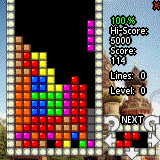
Play 100% FREE perfect Tetris with amazing graphics, sound, and music on your Palm PDA/Smartphone...
"TetriCrisis 100%" Version 5.9FINAL Features: - 100% FREE fun!, - Runs 100% perfectly on any Palm with O.S. 3.5 or higher, - 100% arcade perfect Gameboy Tetris to Palm conversion of the original, - Beautiful full color and high resolution visual graphics, - Awesome digital sound effects, - Amazing digitally orchestrated soundtrack featuring over 30 minutes of CD quality music!, - Perfect control with available 5-way navigator and hard buttons or use your pen stylus to control pieces, - 7 different and exciting game modes including original Gameboy mode and the incredibly unique \"Crisis+Mode\"!, - Saved high scores table for each game mode, - Fully customizable game options and saved game preferences, including: new game garbage level, new game start level, display next piece on/off, display drop shadow on/off, display background on/off...
With over 50,000+ downloads in a previous c|net release, TetriCrisis 100% has been hailed as: "The Greatest FREE Palm Tetris Game Of All Time"...
MusicTones supports mp3, wav, aac and amr file formats which could be imprted into the application and then be used for incoming call ringtone or new sms alert etc. You can cut and crop parts of the files and load them into the device memory. MusicTones is supported by Treo 600, 650, 680 and 700p.
Unlimited quantity Sudokus. Simply the best Sudoku game for your Palm. MySudoku is an addictive logical puzzle game.
Features: - You don't need Sudoku Pack. - Because Unlimited quantity and unique Puzzles. - Infinite number of true random sudoku puzzles - Challange our super fast solver with any board. - Super intuitive easy to understand user interface - Get hints when your'e stuck Improve your logic skills - Full color support Pencil Marks - And much much more
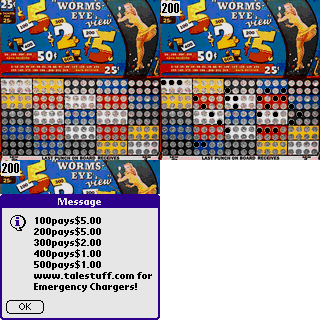
After you have used PunchBoard you can restore the previous state of the board by tapping the "Lady" the next time you launch it.
Tap on the small print areas to see the payoff amounts. The Payoffs are at fixed locations on the board in the demo version.
With the registered version you are able to create unlimited boards. Each board contains all of the payoff combinations, $26.75 total. Selling each punch for $0.25 will total $50.00.
A must-have program for all Windows Mobile devices.
This is a simple small program, who can organize, so called: delivery reports, automatically, after the selected time.
If you use SMS message option: Request delivery notification, what gives you a special SMS report message when your sent message was delivered, you probably quick notice, you have to all these reports manually. It will become soon quite hard, if you send many messages daily.
This program will manage all reports automatically.
It leave delivery reports in Inbox for a while (your choice), afterward it will erase every report completely, or (in the Pro version) move it to a special new folder in Inbox.
You set the time, when it will manage reports, after the last one you've got. This time could be minutes, hours, or even some upcoming twilight. Additionally, this program can announce the delivery notification with a special sound, at your will. In this case, you needn't look on screen, and use the backlight on, because you hear the notification. More options: it can disable default notification sounds, and reset "Message sent" notification.
Download the SMS Reports Eraser 3.0. free for Pocket PC
Here's a video of the new iPhone 3.0 in all it's buggy glory, it looks pretty good for software so I hope by the time it hits, everything would be sorted out.
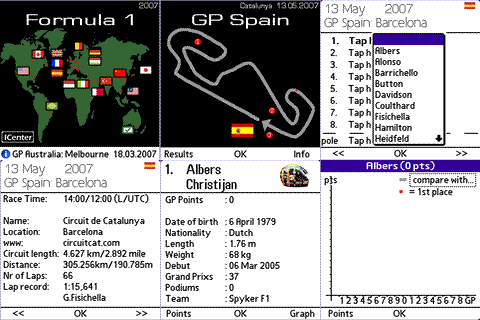
That’s right folks, the Formula 12009 championship is about to begin and we have the right mobile application for you. F1 2009 Mobile is a Windows Mobile application which will bring you details about cars, teams, drivers and all the other important news surrounding the calendar of this year Fromula 1 races.
Is this Samsungs first Google Android handset in the wild looking on? Yup, you can see the well known Android analogue clock sitting there on the display.
And so the browser wars continue on for another day, the Iris Browser just popped up in our catalog and for something still in beta, it's fairly useful.
Have dice will travel? With Game-Dice the are never more than a click away. Dice for any game. Standard dice for board games. Polyhedral dice for role playing games (RPG's) or serious war gaming.
- Select any number of dice, limited only by screen size (up to 30 dice at 320x240) - Supports d4, d6, d8, d10 (percentile), d12, d20, and d30 polyhedral dice for gaming - Choice of colors for standard dice - Supports portait, square, and landscape modes - Full screen mode available - Adjustable size for hi-res screens
This version is for Windows Mobile Professional (touchscreen), a separate version is available for Windows Mobile Standard (non-touchscreen).
Note: Information is derived from the CIA World Factbook 2009
Description:
Pocket Atlas is a mini atlas that you can load into your pocket pc and carry it with you wherever you go. It allows you to have all the countries information, maps, flags and even time handy whenever you need them. Pocket Atlas shows for every country a map( you can zoom in and out and compute distances), the country name, capital, current time, geography (coordinates, location, bordering countries, coastline, time zone, area and climate), people(population, growth rate, religions, languages, literacy, ethnic groups, nationality, sex ratio), government(official country name, capital, administrative divisions, government types, national holidays), economy(imports ,exports, fiscal year, currency, currency code), communication(telephones, cell phones, international country code, country code, internet country code, internet users), transportation(ports and harbors, airports and heliports) and tourist attractions. Pocket Atlas also draws a day/night plot for the whole world, provides a comparison screen to compare different features for five countries simultaneously and also has a quick facts screen with some interesting facts about the world countries. Updated following the CIA World Factbook for 2009
Features:
Pocket Atlas provides the following features:
1. Country Selection
You can select a country from the list provided on the main page which divides the countries by region or just gives you the whole list.
You can also click on any of the world map’s regions (Africa, Asia, Australia, Europe, Middle East, North America and South America) to get a more detailed map of the region and then tap on the country of your choice.
2. Country Map Once you get the country map screen, you can scroll through it horizontally and vertically, zoom in and out and drag a line between any two points to compute the distance in both kilometers and miles.
3. Country Info
country flag
country capital
current tome
A menu of categories to choose from. The categories are (geography, people, economy, government, communication, transportation and tourism)
A set of features for each category. For geography (coordinates, location, bordering countries, coastline, time zone, area and climate), people(population, growth rate, religions, languages, literacy, ethnic groups, nationality, sex ratio), government(official country name, capital, administrative divisions, government types, national holidays), economy(imports ,exports, fiscal year, currency, currency code), communication(telephones, cell phones, international country code, country code, internet country code, internet users), transportation(ports and harbors, airports and heliports) and for tourism(tourist attractions).
4. Day/Night Plot with current time in three different countries of your choice
5. Compare different parameters for different countries. For example you can compare the population of any five countries of your choice.
6. Some quick world facts like the largest country in the world, the most visited…etc
Control Sid on his adventures in colourful isometric 3D worlds in this twist on the muncher genre. Built using the popular 'Marble Worlds' game engine the challenge is to help Sid clean up all the levels, but rogue security robots are chasing him. Collecting extra power boosters allows Sid to battle them, but these items are few and far between.
Great colourful isometric 3D graphics
Easy to control, no falling off platforms!
16 stages of multi-level action
Multi save game feature
Particle effects Always test the demo to ensure compatibility with your device.
Download the Super Sid - Square Screen 1.5 free for Pocket PC
Experience the fastest control of your Windows PC using your touch screen Windows Mobile phone.
+ Designed with touch screen in mind. + Control your PC from anywhere on the planet. + Scroll around the desktop with your thumb. + Zoom in and out instantly making this app very finger friendly. + Overview lets you jump anywhere on the screen. + Transfer files and clip board (copy/paste) between your PC and mobile while you control your PC. + Full screen keyboard give you finger tapping keyboard to directly type into your PC. + Profiles to multiple computers lets you easily switch between different computers. + Encrypted connection for safe file and remote control.
The uses for this application are endless: + Share files between your PC and phone. + Control your media center, music or video player. + View security camera from anywhere. + Troubleshoot problems from anywhere. + Faster browser than IE, Opera and Skyfire for Windows Mobile. (using WiFi)
You receive 4 outstanding best-selling applications (plus Weather) worth $70 when purchased separately just for $39.95 and save $30!
iWindowsMobile Communication Suite includes mobile shell Winterface, contact manager FunContact, SMS client SMS-Chat, Weather and soft keyoard ZoomBoard. You can also install Weather - free application to have weather forecast right on the icon in Winterface.
Download the iWindowsMobile Communication Suite 1.8 free for Pocket PC
Mobile security suite for devices running Windows Mobile: Don't leave home without It!
Smartphones, PDAs and pocket PCs are shrinking in size but growing in versatility. But the smaller they get, the easier they are to loose. Anyone with access to your hardware has access to emails, documents, pictures, and more.
The risks:
70% of mobile owners are not providing adequate protection to guard against data theft.* With unrestricted access to your information, the person that finds (or steals) your device can inflict serious financial and emotional damage.
E-mails contain and reveal a wealth of information, from the unimportant to the super secret — things you don't want other people reading.
It is estimated that in the US alone, over 10 million smartphones, PDAs and other portable devices will be stolen in 2009. And this number doesn't cover the number of devices that are simply lost.
The solution is Steganos Privacy Suite™ Mobile
Safe Mobile protects your data and e-mails — no access without a password.
Shredder Mobile destroys old and previously d data permanently. Cannot be retrieved with data recovery software.
Password Manager Mobile creates, encrypts and manages all your password and login information.
Bluetooth PhoneLock™ locks down smartphone access and adds another level of security to prevent data theft.
Better safe than sorry. True all-in-one security that protects what matters to you. Steganos Privacy Suite Mobile.
* Infowatch ** Ponemon-Institute
Features
Stick it in the safe. Lock the safe. Safe! Encrypts and password protects all data on smartphones, PDAs, Pocket PCs, and memory cards.
Outlook Mobile Safe: e-mails in the bank. Protects e-mails, contacts, and calendars for Outlook Mobile. No one can access sensitive data without a password.
Steganos Crypt & Go: fast, faster, fastest. Allows password encrypt and decrypt operations on files and folders. Fast tracks access to information to save time.
Steganos Password Manager™ Mobile: easy-as-pie password management. Locks down passwords, login data, bank info, and more in an encrypted list. Data is protected and at-the- ready, while user defined profiles and categories make sense of private and business passwords. Fully adapted to synchronize with PC versions.
Steganos Password Generator: need a password? Creates highly secure passwords. User defined settings allow special characters and determine password strength level.
Bluetooth PhoneLock™: locks automatically Utilizes any bluetooth device (e.g. a headset) as a smartphone key to guard against data theft and unauthorized access to e-mails, phone numbers and text messages. Once device is out of range, smartphone or PDA automatically locks down. Or open your data with a password if bluetooth key is low on power or just unavailable.
Steganos Shredder Mobile: all-in-one file and free space shredder Destroys unwanted and hidden data fragments. Quick, permanent and unrecoverable data operations for smartphones and memory cards.
Steganos PicPass™: open sesame Expresses long passwords strings as a series of images to access information on: data safes, Outlook Mobile safes, Password Manager and Crypt & Go.
Steganos PassCube™: another dimension to access control Uses PicPass technology for graphic logins to smartphones and PDAs. Smart, simple and fast access using a series of pictures.
Quick start and Slider portal: easy and convenient Allows seamless and browsable access to essential applications.
Touch screen support Supports all Windows Mobile touch screen devices.
256 Bit AES Uses an uncrackable 256 Bit AES (Advanced Encryption Standard) security algorithm.
#1 Time Management Solution for Windows Mobile Devices
New Release - Introducing the ultimate time management system! Enjoy innovative and compelling tools to manage your daily agenda using advanced views, category coloring and icons far beyond the ability of the default Pocket PC tools.
Calendar Touch offers the best innovative tools to help you organize your daily agenda using your Windows Mobile Touch device. Easily control and track your busy agenda using Calendar Touch's set of professional calendar views; Search view; Filters; Attendees notifications and much more! All tools designed especially for use with the latest Windows Mobile Touch devices!
Gestures
Calendar Touch offers cool gesture-navigation features designed to make navigation easier and more enjoyable!
Swipe your finger horizontally will step backwards/forward for the current view date-span (e.g. next/prev day on the Daily view, next/prev month on the Monthly view)
Swipe your finger upwards will jump to today's date; downwards will bring the Touch-Date-Picker control to the screen
Swipe your finger horizontally without releasing your press from the screen brings the Touch-Date-Spinner, an animated date-picker that will continue to cycle until you release your finger from the screen. You can move forward/backwards in larger gaps faster and with a single finger swipe on the screen!
Touch
Featuring touch-oriented design making it easy to control most Calendar Touch view features with your finger
Quickly navigate between different Calendar Touch views using the full screen touch buttons View Picker
Touch date and time pickers, easily input date and time values with a full screen large selection dialog and much more!
Powerful Calendar
Astonishing look & feel to all Views with a professional Touch styling
Automatically adopts current OS theme and colors, offering the best unified feel
Switch between all different views with a single finger touch! Easily jump between the Daily, List, Weekly, Monthly, Tasks and Search views
Tasks Management
Filter tasks view based on task status: all, overdue, active, completed, progress limited, undated and additional criterias
Greatly enhanced Tasks view to see more details than the default Tasks application offers
Sort tasks by due/start date, priority, completion and subject. Define two sub-sort levels for the Tasks view list.
Search Utility
Search your agenda for specific appointment or task items using an innovative search tool
Define Calendar Touch to show between 5-100 most relevant results
Search within up to 2 years configured time frame! Get results in a time frame of one year ago until a year ahead
Innovation Inside
Designed to take advantage of all screen resolution devices
Especially designed Monthly view for landscape devices displaying the preview pane on the side
Innovative Pop out effect on Monthly and Weekly views for easier day tracking
Advanced Filtering system for personally configured task and appointment view
Calendar Touch supports all Windows Mobile screen resolutions available
Download the SBSH Calendar Touch 2.1 free for Pocket PC
Delta Minaret calculates daily prayer times, qibla direction and hijri date anywhere anytime. It acts like a mosque in your pocket. Wherever you go, prayer times are a simple click away. Delta Minaret is a must-have application for all Muslims. It is very simple to use and offers great flexibility in the calculations. You can access prayer times for nearly 1000 cities and you can even add your own city. You can hear a complete Adhan for every prayer. You can choose the calculation method for Asr either following Shafi or Hanafi school. You can also choose among the conventions used for twilight angles for the calculation of Fajr/Isha and you can add your own values. In addition, you don't have to worry about adjusting daylight saving since it's all done automatically. In short, Delta Minaret is a global prayer times calculator that presents you with accurate daily prayer schedules at the palm of your hand.
Pocket Stock Monitor transforms your Pocket PC into a mobile stock advisor.
Use Pocket Stock Monitor to track all the latest market activity.
While at work just insert the Pocket PC in its cradle and keep on top of all of the latest market movements. While on the go just connect with the internet to receive current exchange reports.
The program retrieves current data in predefined intervals. The stock rates are displayed in large font.
With the cradle a Pocket PC modem, ethernet card, or cableless WLAN connection can be used.
Features:
Easy to use interface
Five Views:
Index View: Stock rates for two exchanges with graph.
Detail View: Stock rate for one stock
Dual View: 2 stock rates
Quad View: 4 stock rates
List View: 12 stock rates simultaneously
Update interval adjustable
Cumulative stock rate chart
Portfolio Editor for grouping your stocks
Firewall and proxy support
Compatible: All Pocket PC 2000, Pocket PC 2002 and Pocket PC Phone Edition 2002 Devices
Pocket Stock Monitor supports all large stock markets (America, Europe, Australia, and Asia).
Pocket Stock Monitor was nominated the best software title for 2003 in the category "Information Management-Finance".
Download the Pocket Stock Manager 5.8 free for Pocket PC
PDA Stadtplandienst or, 'PDA City Map Service,' brings detailed, quick-loading maps of German cities to your PDA. GPS compatibility allows you to fix your map position in realtime. Prominent landmarks and other details that many paper maps leave out are included. Information about places of interest and local services are also on hand. With the PDA City Map Service you know exactly where you are and where you need to go.
Features:
Extremely fast display speed
Detailed information about local environment including prominent landmarks and public services
High resolution imaging, comparable to printed maps
Easy panning on the display
Flexible lookup function allows you to find street sections or individual house numbers
Incorporated address book lookup
GPS compatibility displays your current position in realtime
Set waypoints
Maps of more than 250 German cities available
Three different map scales included
Digital zoom
Point-to-point distance calculation
Favorites list
English and German interface.
The demo download includes a fully functional map of Berlin's city centre.
Download the PDA Stadtplandienst Bamberg 5.0 Beta Auflage 5 free for Pocket PC
Han Tainer Pocket is a multimedia training software for those interested in learning the Chinese language. The software takes an innovative approach to language learning, focusing less on memorization than comprehension of the meanings behind the Chinese characters. General laws and rules are emphasized with an appealing visual approach sure to accelerate the user's learning of the language.
Download the Han Trainer Pocket 3.75 free for Pocket PC
Nominated for a 2006 Best Software Award in the "Secure Information Managers" category by the "Smartphone & Pocket PC magazine" staff and its Board of Experts!
You want full access to all of your daily needed information at any time? You are looking for a program that manages those data in an easy, secure and clear way?
Then you have found it!
Passwords, banking information, adresses, credit card information, online accounts... Manage all information you daily need comfortably with visKeeper.
Clear
The tree view of visKeeper gives you an overview of all important information.
Click on an entry in the tree and its content is shown immediately
Organize your data, create any number of folders and assign your entries to them (e.g. addresses, access codes, account information)
Use more than 60 integrated icons to personalize your entries
Add your own icons (with the Desktop Edition)
Customize your data and assign different colors and font styles
Add any number of notes to your entries and folders
Easy
visKeeper eases your work and is comfortable to handle.
Create entries quickly with predefined templates
Design and use your own templates with a few clicks
Handle the most secure visual Key login method in a few seconds
Become acquainted with the most important functions of visKeeper and read the built in "1. steps"
Get familiar with the most important functions of visKeeper taking the "1. steps"
Secure
visKeeper protects your data with a strong encryption and the most secure password methods.
Choose one of three password methods to secure your data (PIN, Text- or Picture-Password)
Benfit from the unique visual Key-technology und protect your information with a picture of your own choice
Define autosave and shut down times
Make use of the integrated password generator and create random passwords for ebay, accounts and other purposes
Synchronize your data with the Desktop Edition and dispose of an up to date backup anytime
Trust the military strength 128 Bit Twofish encryption
Soon you will realize that visKeeper provides many liberties which other information managers lack of. It permits both extremely easy handling and the highest grade of protection. Test visKeeper for 30 days without any restrictions. But be careful. If you really use visKeeper for a couple of days, you do not want to miss it anymore.
Find further information as well as the documentation here:
Graphical authentication: highest security granted by the patented visual Key technology
Tutorial and introduction for the immediate use of the software's whole functionality
Management of any text data in clearly arranged tree structure
Creation of any number of visKeeper files for your data
Easy and flexible classification system of folders, subfolders, entries and notes
Predefined templates for passwords, online accounts, banking information etc.
Differentiation of your entries by individual icons
Identification of your entries by free choice of color, font style and multiple font types
Search function for quick navigation in large visKeeper files
Integrated password generator for random passwords
Synchronisation and further editing of your data with the optional PC edition
Compatibility with Windows Mobile 5
visKeeper Desktop Edition
You may use visKeeper on your PC too!
Work with it seperately or in combination with visKeeper for Pocket PC. visKeeper Professional is a bundle containing visKeeper PPC and visKeeper PC. The Desktop Edition may be synchronized with your Pocket PC. Enter large texts at your PC and copy them comfortably to your Pocket PC by two clicks. Keep track of your up to date data on both platforms any time. Moreover visKeeper PC provides many more features and advantages that ease your data management at the home computer. The additional features:
Set an optional Administrator Password for business use of visKeeper
Import and export your data to the most common data types
Sort your entries automatically or by "Drag & Drop"
Drag & Drop text directly from your internet browser or from a text file to note fields
Import your own icons or just move graphics from your internet browser to the tree view by "Drag & Drop": they will be converted to icons automatically
Test visKeeper PC 30 days without any restrictions and see even more...
SFR - makes your mobile life easier.
Download the visKeeper PPC - Password Wallet 3.2.0 free for Pocket PC
Photo Contacts PRO easily lets you assign pictures and ring tones to your contact registry. Photo Contacts PRO also lets you send email, SMS messages and share photos with other users.
With Photo Contacts PRO you can call contacts by simply tapping on their photograph. When you receive incoming calls the contact photo will also be displayed automatically on the screen.
Photo Contacts Pro also lets you assign custom ring tones to specific contacts and contact categories on the Pocket PC.
Download the Photo Contacts PRO 5.11 free for Pocket PC
Mundu offers a completely interoperable instant messaging service. Now you can connect with all your contacts across AIM®, Yahoo®, MSN®, Google® Talk, ICQ® and Jabber® within a single, easy-to-use interface through your Windows Mobile Pocket PC device.
Download the Mundu IM for Pocket PC 4.0.0 free for Pocket PC






 Control Sid on his adventures in colourful isometric 3D worlds in this twist on the muncher genre. Built using the popular 'Marble Worlds' game engine the challenge is to help Sid clean up all the levels, but rogue security robots are chasing him. Collecting extra power boosters allows Sid to battle them, but these items are few and far between.


